
Touch Typing That Adapts to You
Real-time heatmaps, local LLM insights, and offline practice scheduling — built for developers who want faster, more accurate coding speed.
Add to Chrome — Free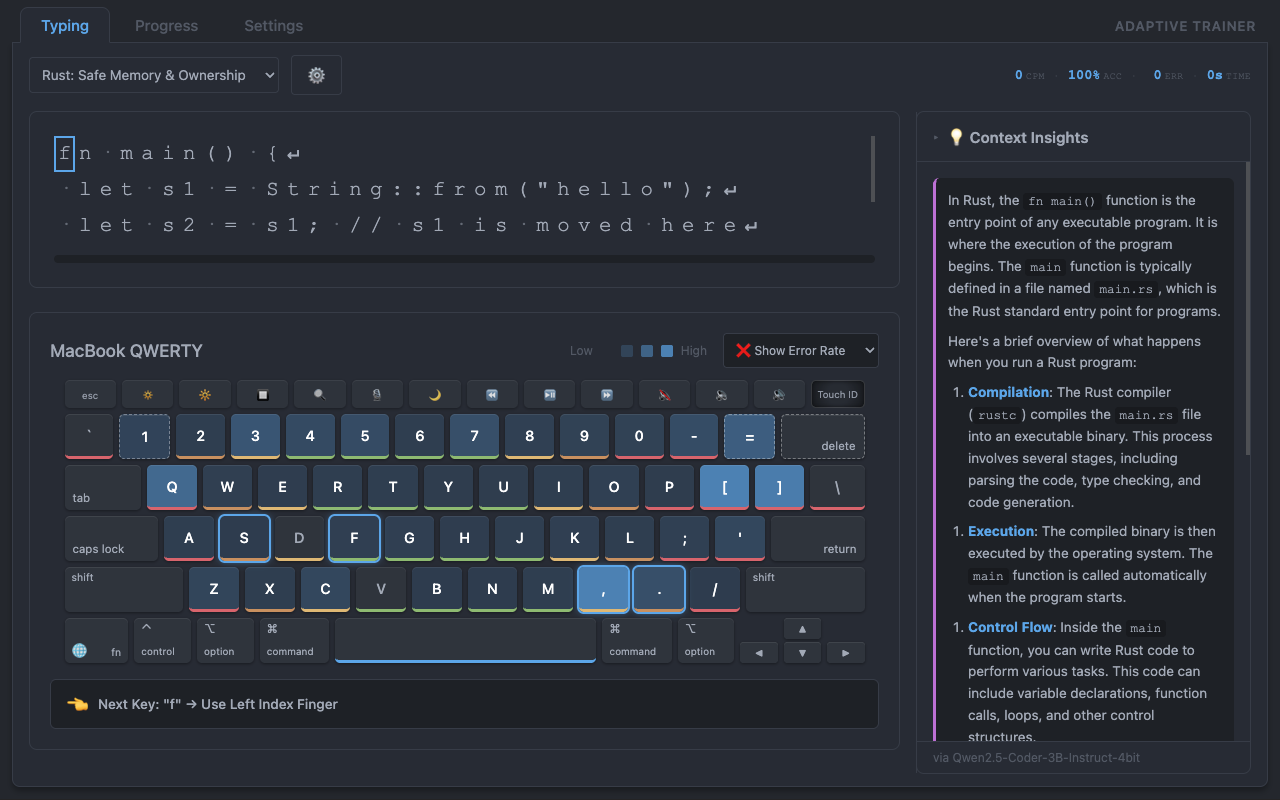
Real-time heatmaps, local LLM insights, and offline practice scheduling — built for developers who want faster, more accurate coding speed.
Add to Chrome — Free
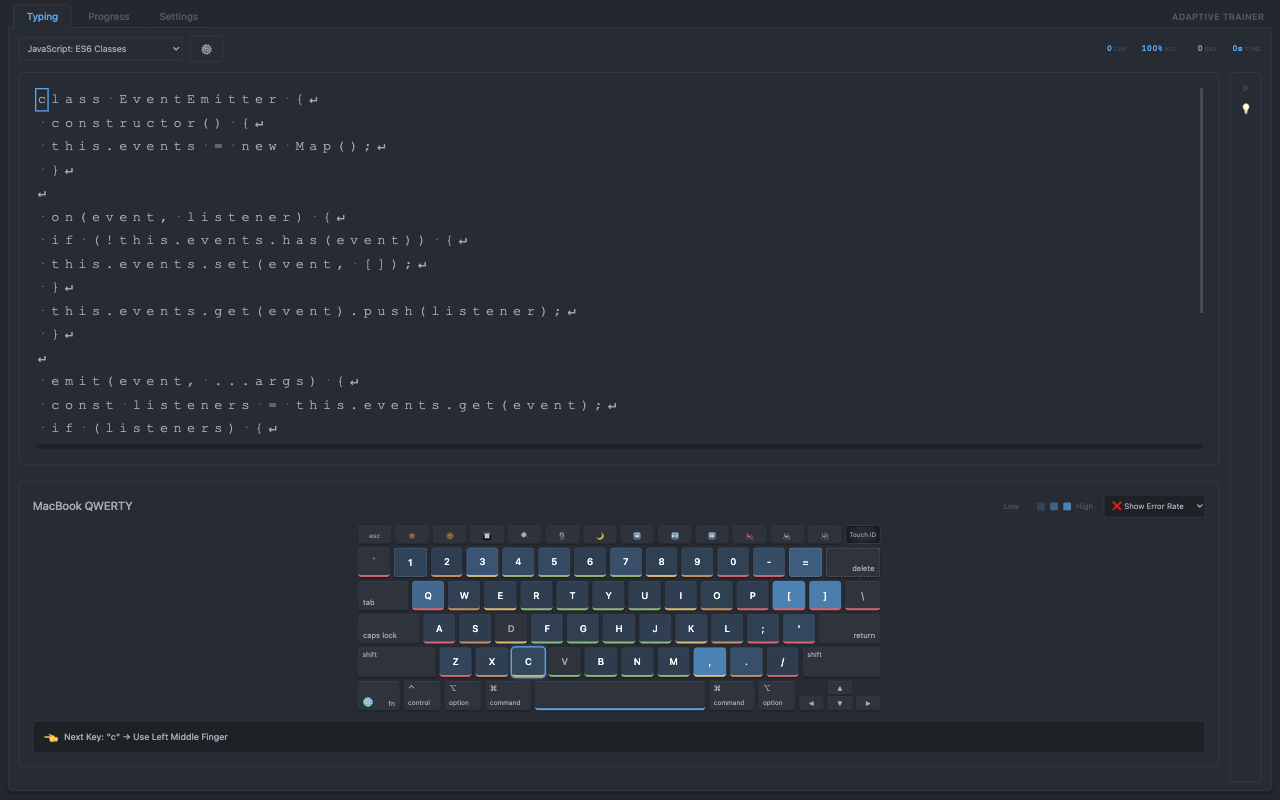
Select from preloaded Rust, HTML, CSS or JavaScript lessons, or import your own text files. The on-screen keyboard lights up with real-time heatmaps as you type.
As you type, a local LLM provides real-time explanations of the code or text you're practicing. The Context Insights panel shows what each line means, why it matters, and how to improve — all without leaving the typing flow.
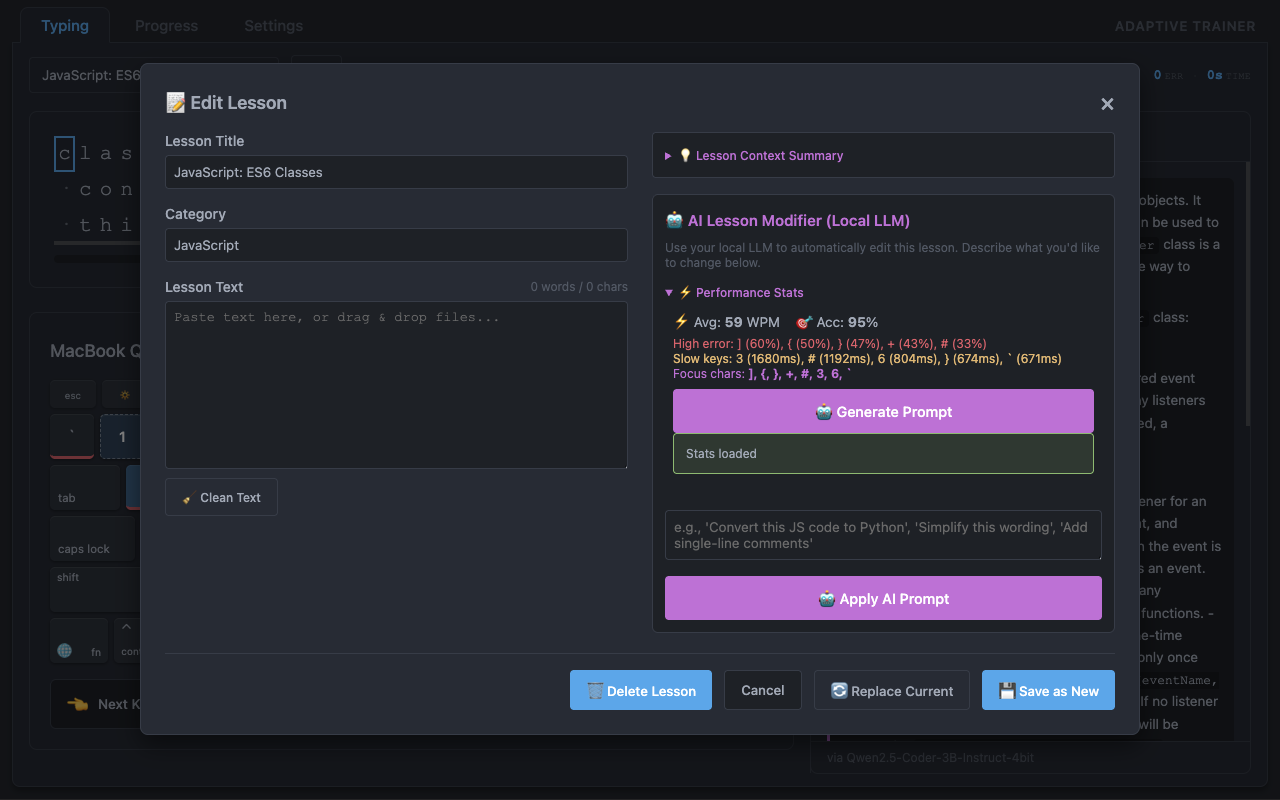
Paste any code or prose to create a custom lesson instantly.
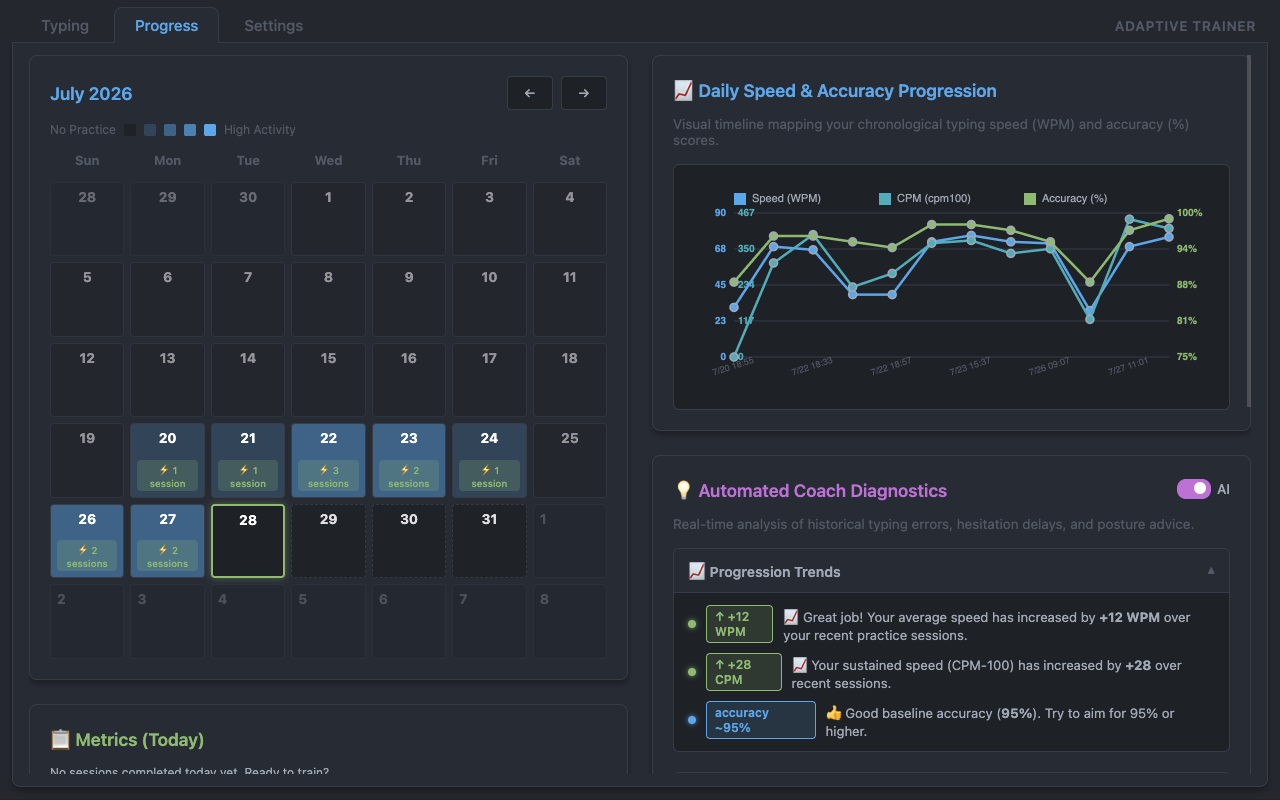
A monthly calendar heatmap, WPM progression charts, and sortable session history turn every practice session into measurable improvement. AI-powered coach diagnostics give you personalised feedback on speed, accuracy, and sustained performance.
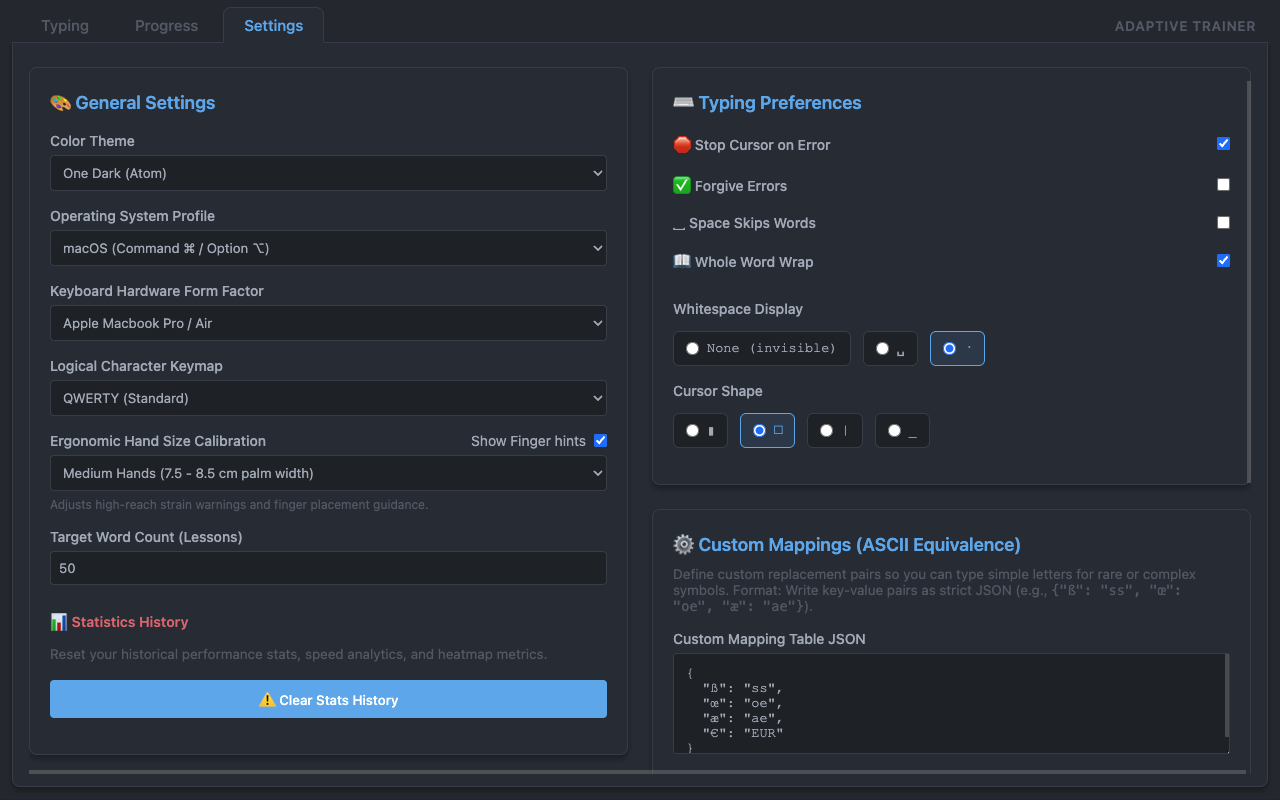
Connect Ollama, LM Studio or any OpenAI-compatible local server for AI insights. Fine-tune themes, keyboard layouts, cursor styles, and character mappings — all stored on your device with no cloud dependency.
A focused tool for serious typing practice.
Speed and error overlays on a real keyboard layout — QWERTY, Dvorak or Colemak.
Ollama, LM Studio or any OpenAI-compatible endpoint for contextual insights.
Calendar heatmap, WPM charts, sortable session tables and practice schedules.
Type « é, ñ, ß » with a standard QWERTY row — custom character maps included.
Atom One Light and Atom One Dark — no eye-strain during long sessions.
Paste any code or prose, set difficulty, and start practicing immediately.
Export and import your entire profile, lessons and statistics.
LLM Typing Trainer collects only what it needs — and everything stays on your device.
chrome.storage.local.
| Data | Location | Purpose |
|---|---|---|
| Typing sessions | IndexedDB | Charts & history |
| Key statistics | IndexedDB | Heatmaps & adaptation |
| Lesson text | IndexedDB | Practice material |
| Preferences | chrome.storage.local | Personalisation |
| LLM query text | Network (localhost or user URL) | Contextual insights |